How to Hire a Freelance WordPress Developer: 8 Things to Check First
By Imran Hosain · · 6 min read
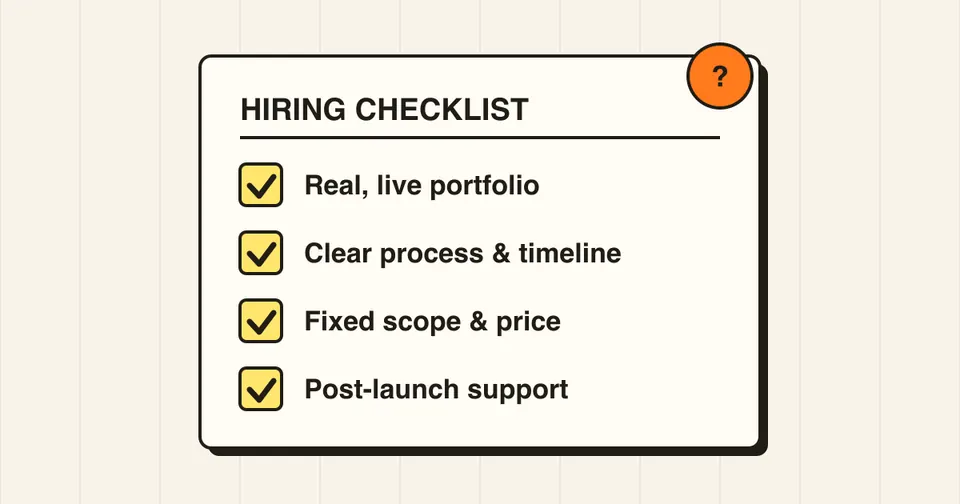
Hiring a freelance WordPress developer is easier when you know what to look for. A bad hire costs money, time and sometimes a broken or hacked site. Use this checklist before you commit.
1. Look at live work, not just screenshots
Ask for links to real, working sites. Open them on your phone, check how fast they load, and click through the pages. Look for sites similar to yours in size and type, such as a business site, a store or a custom theme.
2. Check relevant experience
WordPress covers many skills: theme development, plugin development, WooCommerce, performance and security. Ask which of these they do every day. A developer who mostly installs ready-made themes is different from one who writes custom code.
3. Ask about their process
A good freelancer can explain the steps clearly: discovery call, scope, design or wireframes, development on a staging site, testing, launch and handover. If the answer is vague, expect surprises later.
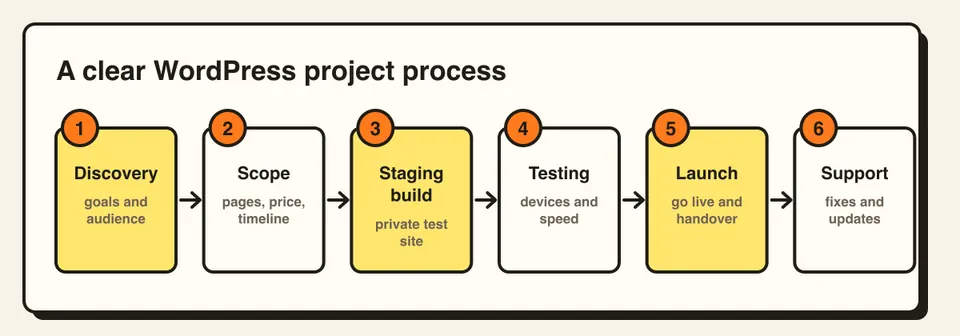
4. Get scope, timeline and price in writing
Agree on pages, features, revisions, deadline and total cost before starting. Ask what is not included, such as content writing, stock images, premium plugins and hosting. Clear scope protects both sides.
5. Ask about code quality and speed
Good developers care about performance and clean code. Ask how they keep sites fast, whether they follow WordPress coding standards, and how they avoid plugin bloat. Run their past sites through PageSpeed Insights to see for yourself.
6. Confirm they build for SEO and mobile
Ask whether the site will be responsive, accessible and set up with proper headings, metadata, sitemap and fast loading. These basics are far cheaper to build in at the start than to fix later.
7. Make sure you own everything
You should own the domain, hosting account, code and content. Avoid arrangements where the developer holds the only login. Ask for admin access, and a handover that includes credentials, a backup and basic documentation.
8. Ask what happens after launch
WordPress needs updates, backups and security checks. Ask whether there is a support period for bug fixes, and whether ongoing maintenance is available. I offer monthly care plans for exactly this reason.
Red flags
- No live examples, or examples they cannot explain
- Very low prices with promises of very fast delivery
- No staging site, with edits made directly on the live site
- Slow, unclear communication before you have even hired them
- Refusing to give you admin access or ownership
- Pirated or "nulled" themes and plugins, which often carry malware
Questions to ask in the first call
- Have you built something similar to my project?
- How will we communicate, and how often will I see progress?
- Do you build on a staging site first?
- How many revisions are included?
- What do you need from me, and what is the timeline?
- What support do I get after launch?
Freelancer, agency or page builder?
A freelancer usually gives direct communication and better value for small and medium projects. An agency suits very large projects that need many roles. A DIY page builder works for simple sites, but custom features, speed and long-term care often need a developer.
Frequently asked questions
It depends on scope, experience and location. A simple business site costs far less than a custom WooCommerce store. Ask for a fixed quote based on a written scope rather than comparing hourly rates alone.
A small business site often takes two to four weeks once content and design are ready. Larger or custom projects take longer.
If the site matters to your business, yes. Updates, backups and security monitoring prevent most avoidable problems.