How to Increase Your Shopify Conversion Rate: 10 Practical Fixes
By Imran Hosain · · 7 min read
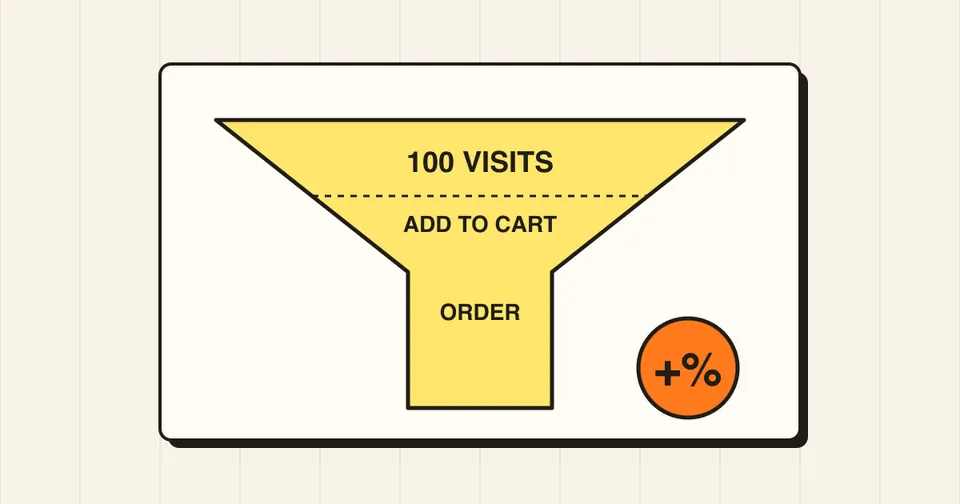
Conversion rate is the share of store visits that end in an order. If 1,000 people visit and 20 buy, your conversion rate is 2%. Benchmarks vary widely by industry, device and traffic source, so the most useful comparison is your own store's numbers over time. These ten fixes are where I usually start when a Shopify store gets traffic but few orders.
1. Make the store fast
Slow pages lose shoppers before they see a product. The usual causes are oversized images and too many apps injecting scripts. Compress images, remove apps you no longer use, and test the store on a mid-range phone.
2. Design for mobile first
Most shoppers browse on phones. Check that buttons are easy to tap, text is readable without zooming, the menu is simple, and the "Add to cart" button is easy to find without scrolling far.
3. Improve your product pages
- Use clear, high-quality photos from several angles, plus a size or scale reference.
- Lead with benefits, then details. Keep descriptions scannable with short paragraphs and bullet points.
- Show price, variants, and stock status clearly.
- Add real customer reviews and photos if you have them.
4. Be upfront about shipping and returns
Surprise costs at checkout are a common reason for abandoned orders. Show delivery times, shipping costs (or a free-shipping threshold) and your return policy on the product page and in the cart.
5. Make search and navigation easy
Keep the main menu short, group products in sensible collections, and add filters when you have many products. Make sure the search bar returns useful results for common misspellings.
6. Streamline the cart
A cart page or drawer should show the items, total, and a clear checkout button. A free-shipping progress bar and a few relevant add-ons can raise order value without adding friction.
7. Reduce checkout friction
- Turn on accelerated payment options such as Shop Pay, Apple Pay and Google Pay where available, since they save shoppers from typing details.
- Offer the payment methods your customers actually use.
- Do not force account creation before purchase if you can avoid it.
8. Build trust
Add contact details, an About page, clear policies and visible secure-payment information. New shoppers need a reason to believe you will deliver.
9. Recover abandoned checkouts
Shopify can send automatic abandoned checkout emails. Set up a short sequence with a clear reminder of the cart contents. Test the emails on your own phone.
10. Measure, then change one thing at a time
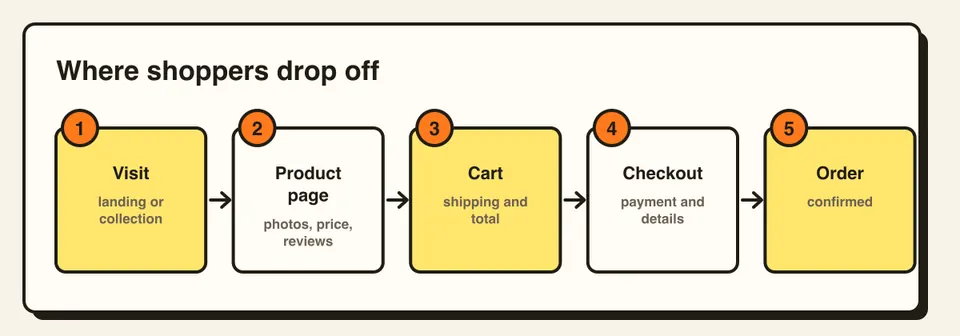
Use Shopify analytics and a tool like Google Analytics to see where visitors leave: product page, cart or checkout. Change one thing at a time so you know what worked. Small gains at each step add up.
Where a developer helps
Many of these fixes are settings and content. Others, such as speed work, a custom cart drawer, a better product page layout or app clean-up, need theme code. If your Liquid theme is slow or hard to change, that is where custom development pays off.
Frequently asked questions
It varies a lot by industry, product price, device and traffic source. Compare your store against its own past results rather than a single benchmark.
Some do, because they add scripts to your pages. Remove apps you do not use and test your speed after installing a new one.
Give each change enough traffic to judge, often a few weeks, and change one thing at a time so you know what worked.