What Is Headless WordPress? When It Makes Sense and When It Doesn't
By Imran Hosain · · 6 min read
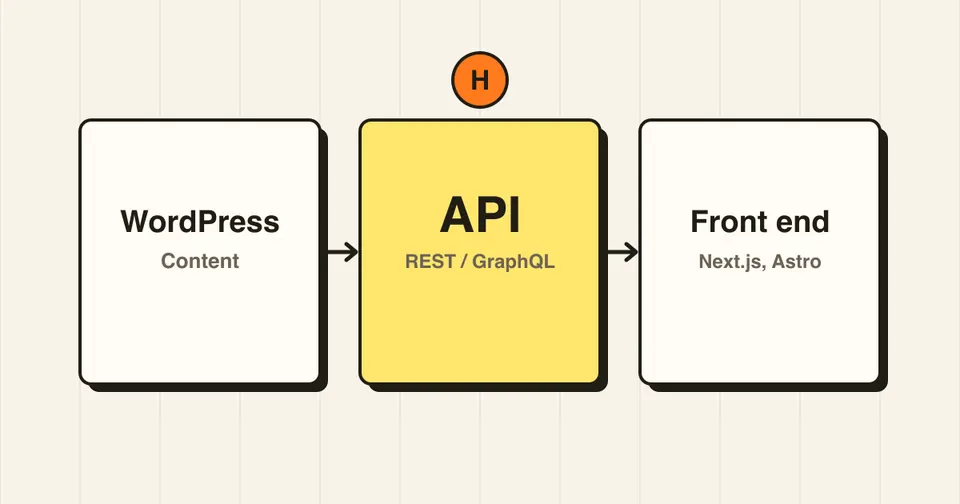
"Headless WordPress" gets mentioned a lot, usually as the modern way to build sites. It is a real option, but it is not right for every project. This guide explains what it is in plain terms and when it makes sense.
What does headless mean?
A normal WordPress site is "coupled": WordPress stores your content and also builds the pages visitors see, using your theme. In a headless setup, WordPress only stores and manages content. A separate front end, built with a framework such as Next.js, Astro or Nuxt, fetches that content and displays it.
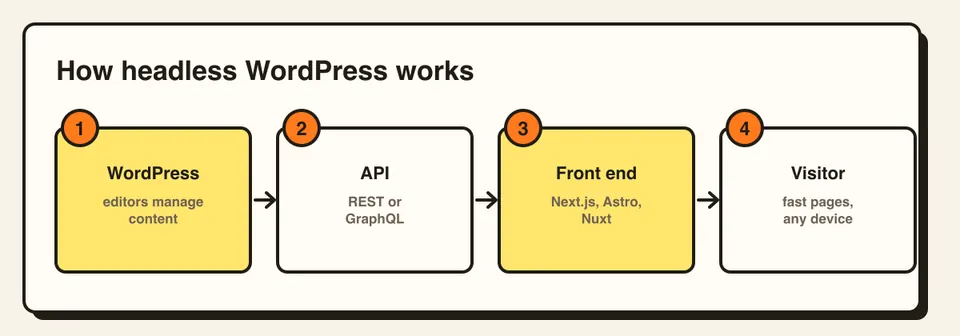
How the content gets from WordPress to the front end
- REST API: built into WordPress, it returns your posts, pages and other content as JSON.
- GraphQL: available with the WPGraphQL plugin. It lets the front end ask for exactly the fields it needs.
Editors still use the familiar WordPress dashboard. Only the visitor-facing side changes.
Benefits
- Front-end freedom: you are not limited by theme structure and can build any interface.
- Potential speed: pages can be pre-built and served from a CDN, which can give very fast loads when done well.
- One content source, many places: the same content can feed a website, a mobile app and other channels.
- Smaller public attack surface: visitors do not hit your WordPress install directly, although the admin and API still need to be secured.
Drawbacks
- More complexity and cost: you maintain two systems, WordPress and the front end, and usually two hosting setups.
- Plugins do not just work: plugins that output things on the front end, such as page builders, form plugins, sliders and some SEO features, need to be rebuilt or replaced.
- Previews and editing: live previews for editors take extra setup.
- You need developers: small changes that a theme would handle are now code changes.
When headless makes sense
- Large content sites or publishers with a development team
- Products where the same content feeds a website and an app
- Projects that need a highly custom interface or very high traffic
When it usually does not
- Small business or brochure sites
- Sites that rely on page builders or many front-end plugins
- Teams without ongoing developer support
For most of these, a well-built, well-optimized classic WordPress site is faster to launch, cheaper to maintain and plenty fast. My WordPress speed guide covers how to get there.
A simple decision rule
Ask: does this project need something a normal theme cannot do? If not, stay with classic WordPress. If yes, and you have the budget and developers to maintain two systems, headless is worth a serious look.
Frequently asked questions
A setup where WordPress only manages content, and a separate front end built with a framework such as Next.js displays it, fetching content through the REST API or GraphQL.
It can be, since pages can be pre-built and served from a CDN. But a well-optimized classic WordPress site can also be very fast, so speed alone is rarely a good reason.
Plugins that manage content and data usually work. Plugins that output front-end features, such as page builders and forms, need to be rebuilt or replaced in the front end.